
APPLICABLE ROLE: Hotel Admin
Navigation: Administration>User Management>Add User
Hotel Admin can add new users to the Admin Portal with different roles accessed assigned. If you are unsure which role of access to assign, please refer to other staff who have the same access.
How to add a User?
Step 1: Navigate to the User Management page, click the Add User button 
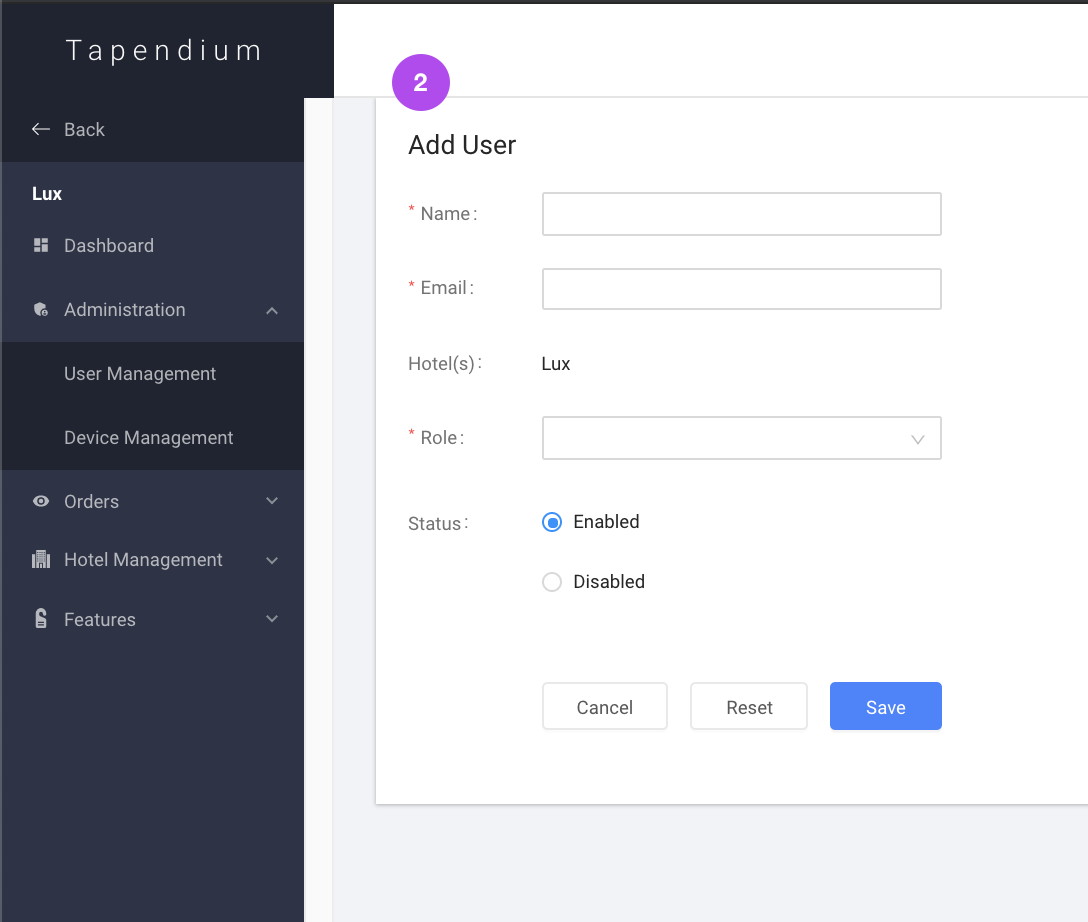
Step 2: When land on the Add User browser, enter user details.
- Hotel: The hotel section is automatically filled
- Role: Select role for the applicable access level.
- Status: To give user active access, select enabled. To disable user access, select Disabled (user information will still be stored in the User Management)
Step 3: Once finished entering details, click Save

Step 4: A green notification will show the success in adding a user, and you can see the added user on the User Management browser.

Comments
0 comments
Please sign in to leave a comment.