
APPLICABLE ROLE: Hotel Admin
Navigation: Administration>User Management>Edit User
Hotel Admin is able to edit other user accessibility and information: For example: updating email address, changing user status.
How to edit a user?
Step 1: Navigate to User Management browser, Click the Edit (pencil icon) of the selected user

Step 2: When landed on the Edit User browser, make edits
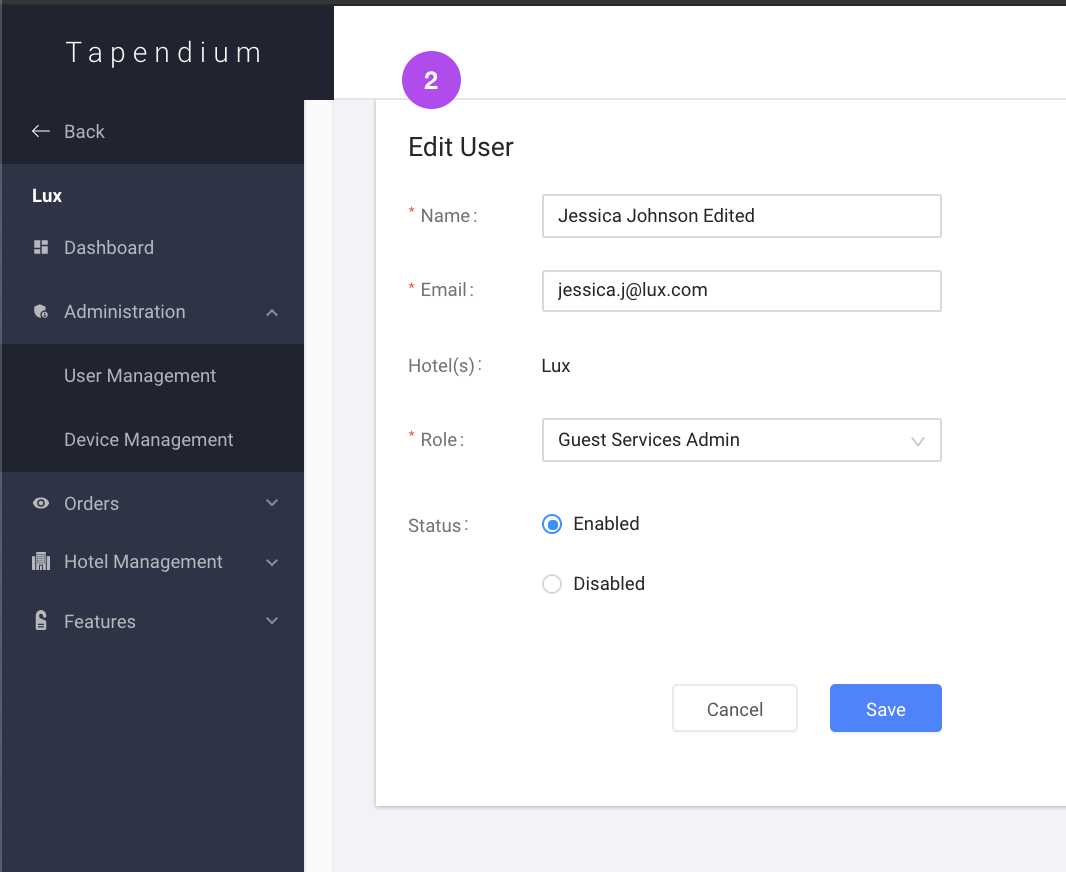
Step 3: Click Save to save the edited information

Step 4: Once finished updating, a green success notification will appear and the edited user will also be shown in the User Management browser.

Comments
0 comments
Please sign in to leave a comment.